Page cover

Environment Textures (Reflection Map)

Element uses an environment map to fake reflections and refractions for your scene. You can choose from the built-in images or import your own Spherical map. You can also adjust the Gamma, Contrast, S

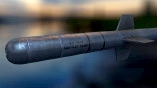
Element uses an environment map to fake reflections and refractions for your scene. You can choose from the built-in images or import your own Spherical map. You can also adjust the Gamma, Contrast, Saturation, UV Repeat and UV Offset from inside the plug-in.

ENVIRONMENT POP-OUT

To change the environment map settings you can click the Environment button at the top of the Scene Set up to access the Environment map pop-out. ENVIRONMENT MAPS If you would like to add your own enviroment map to the list you can add the png or jpeg file to Documents\VideoCopilot\Materials\Environment. You can also load maps like you would a normal material slotarrow-up-right, as well as use animated custom maps.arrow-up-right Also see Render Settings/Environmentarrow-up-right for more info once you are out of the Scene Setup.

circle-info

Environment Tips arrow-up-right

• Create custom Environments maps • Learn how to separate the environment map • Learn places to find your own and make maps WATCH NOW!arrow-up-right

Last updated