# Material Texture Slots
***
Element 3D comes with many advanced material options to make your models look as good as possible. By tweaking the settings of each texture component, you can achieve stunning results.
### BUILDING MATERIALS
For an overview on how to build materials, refer to the [previous section](https://www.videocopilot.net/help/element/help_files_v2/texturing_and_materials/building_materials_in_element_3d/).
### TEXTURE CHANNELS
Please refer to the [Texture Channel Pop-up section](https://www.videocopilot.net/help/element/help_files_v2/texturing_and_materials/texture_channel_popup/) for detailed information on those parameters.
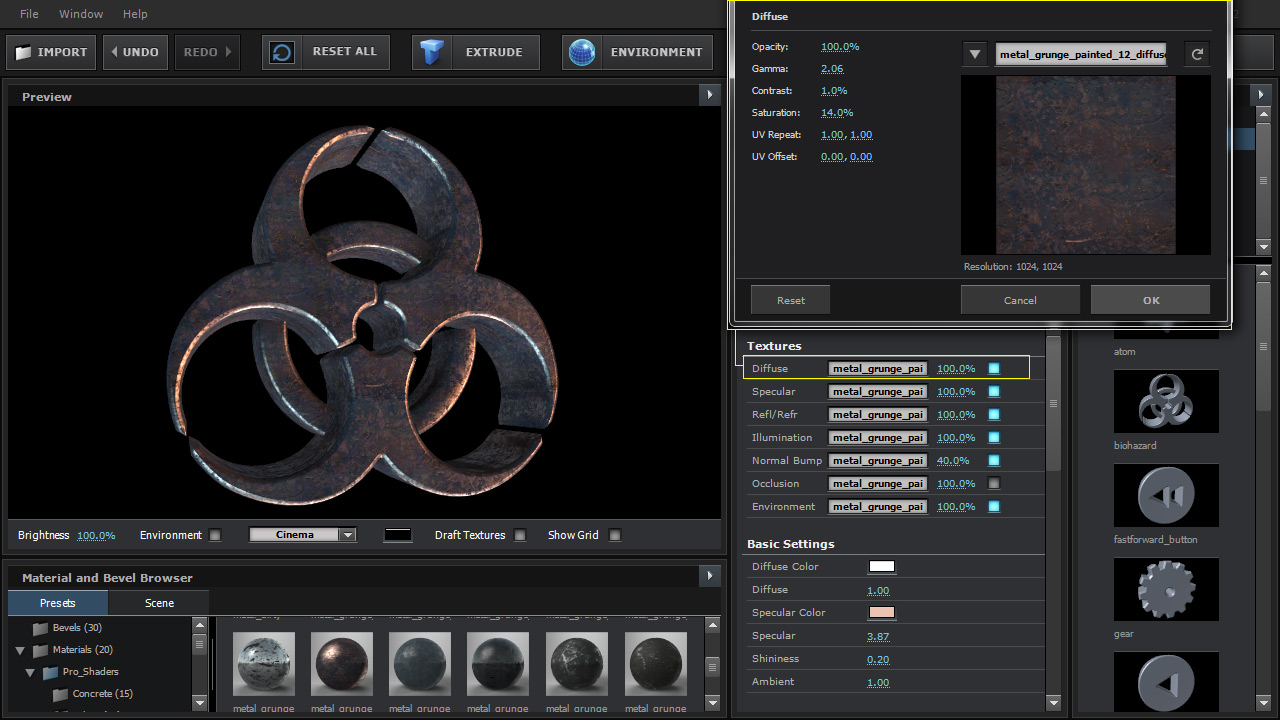
### DIFFUSE
This is generally the main color of your material’s surface.
***
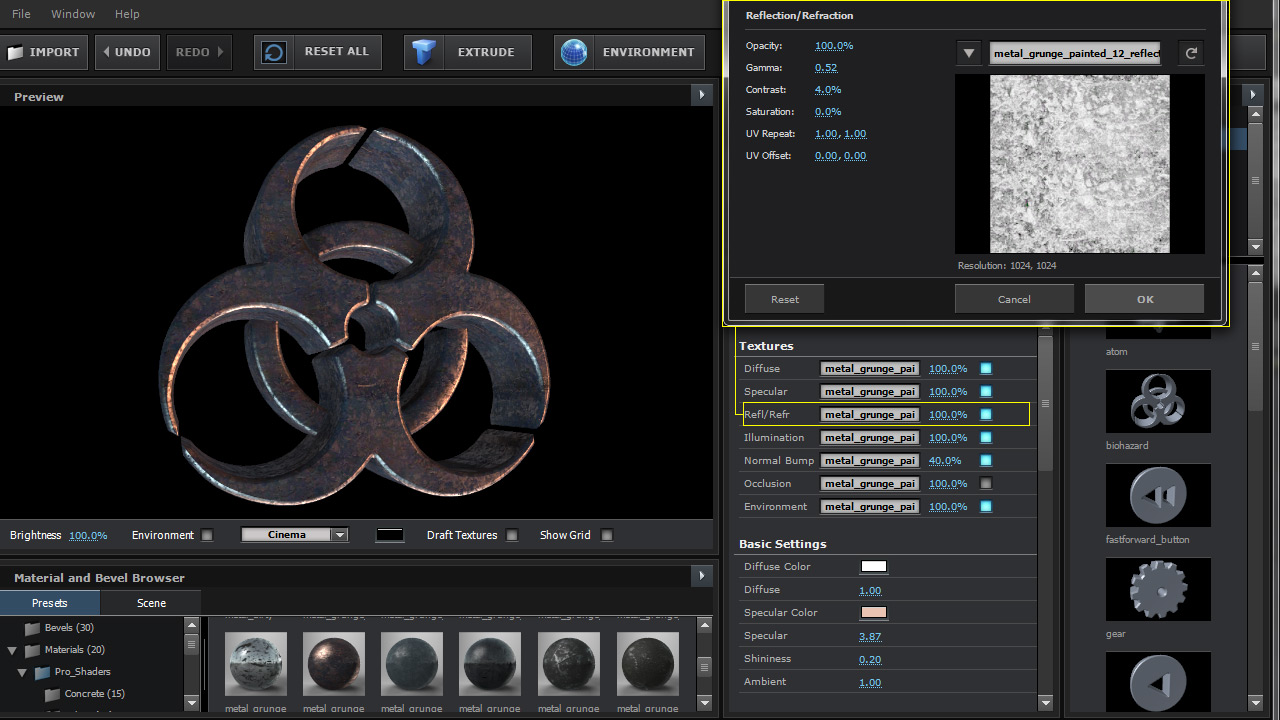
### REFLECTION / REFRACTION
This slot controls the amount of reflection or refraction a surface is able to receive. This channel will work in combination with the specular map and block out additional reflectivity.
***
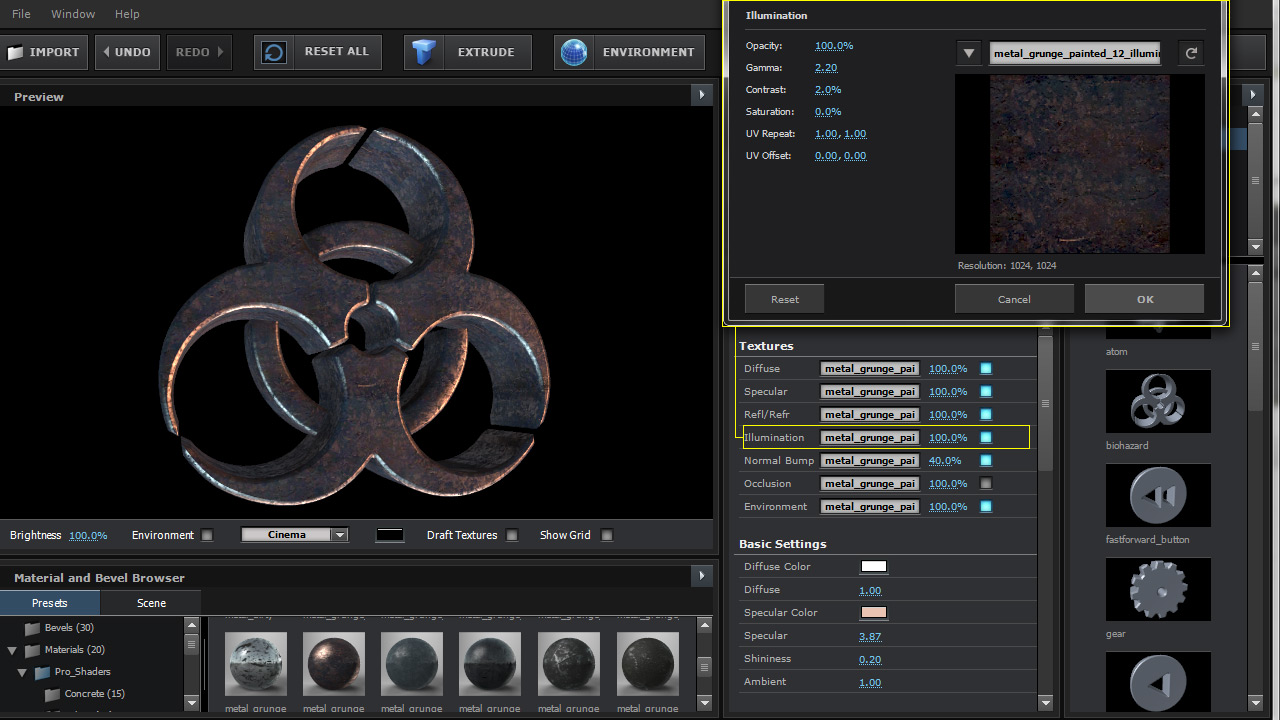
### ILLUMINATION
This slot allows you to use an illumination map for areas that you want to appear illuminated. Once the map is set be sure to increase the illumination intensity.
***
### NORMAL BUMP
This channel allows you to use a special surface map called a Normal Bump to create textured surfaces that are affected by lighting. To adjust the intensity of the Normal bump, you can decrease the opacity of the map next to the map slot.
***
### OCCLUSION
This texture channel will multiply dark shading on top of the diffuse channel. Great for being able to fine tune the ambient occlusion texture pass with the opacity amount.
***
### ENVIRONMENT
This texture slot allows you to specify a specific environment map other than the default one to reflect. One purpose would be to have a blurry version of the map for one material and a non-blurred version on another material in the same scene to create objects that appear more chrome and objects with blurry reflections.
***
[Watch beyond the basics video for more information on material texture slots](https://www.videocopilot.net/help/element/tutorial/basic/in_depth_overview/)\
\

**Beyond The Basics Video**\
• Customizing UI\
• Adding textures\
• Basic texture mapping options\
\
[**WATCH NOW!**](https://www.videocopilot.net/help/element/tutorial/basic/in_depth_overview/)